
Your team already knows how to fix the lock that sticks and the drain that backs up. Intelligent SOPs capture that the moment it happens, then recognize the problem the next time it comes in and hand your vendor the fix — before anyone has to remember it.
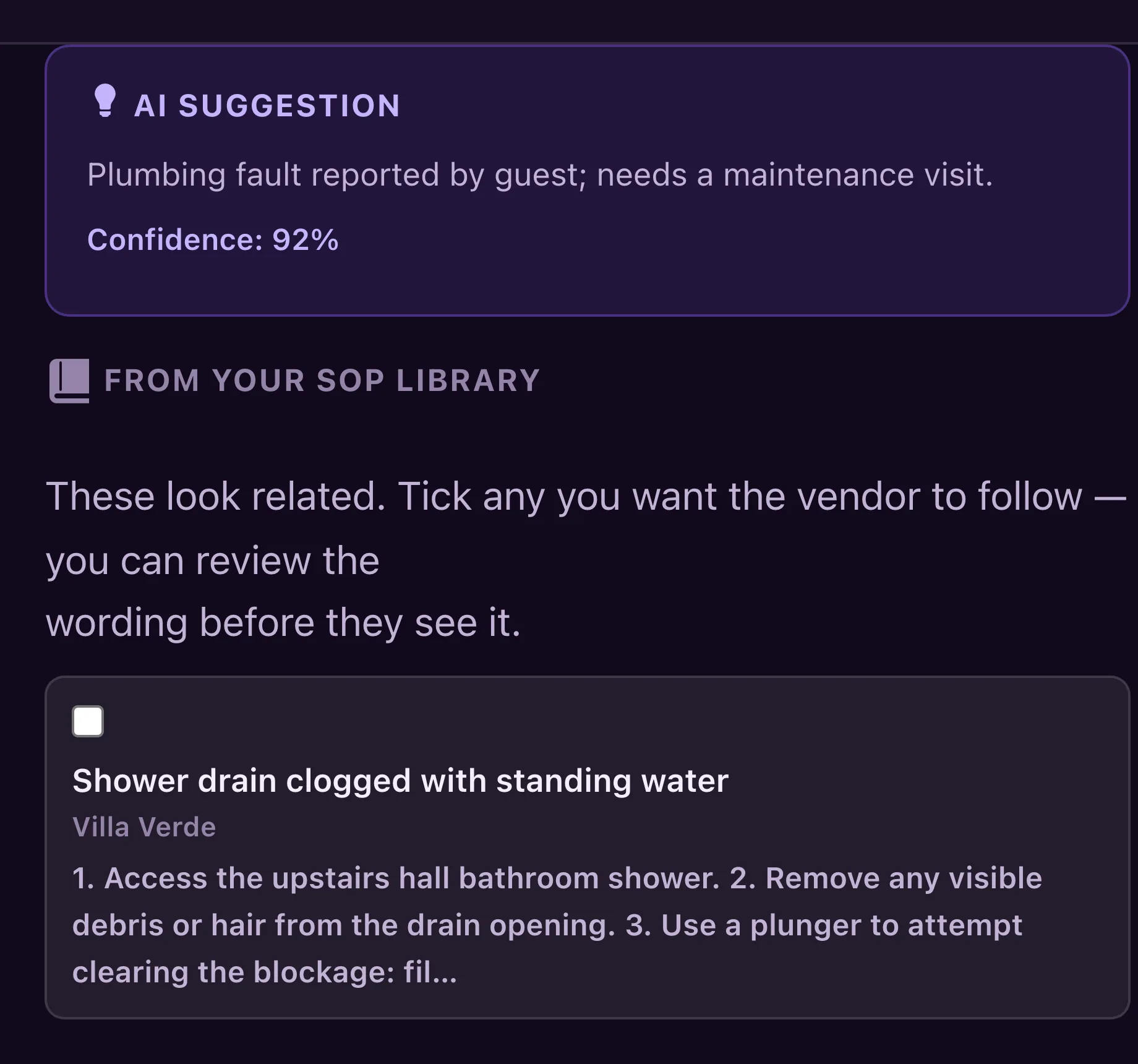
Most operators lose the fix the moment the job closes. This turns every resolved problem into something the system can reuse.
It recognized the fault, then found the fix you already wrote.
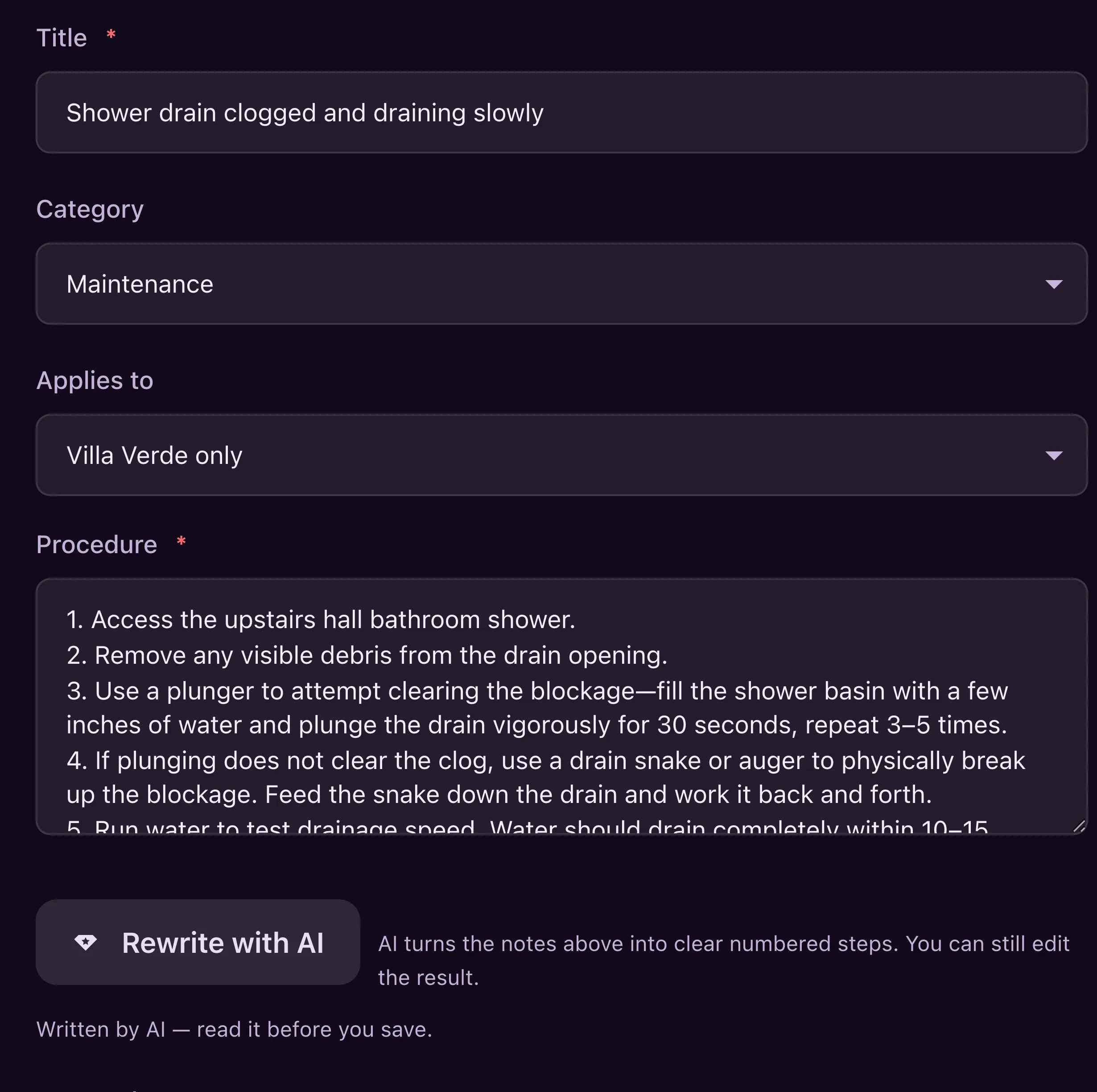
A five-message thread, rewritten as a procedure.
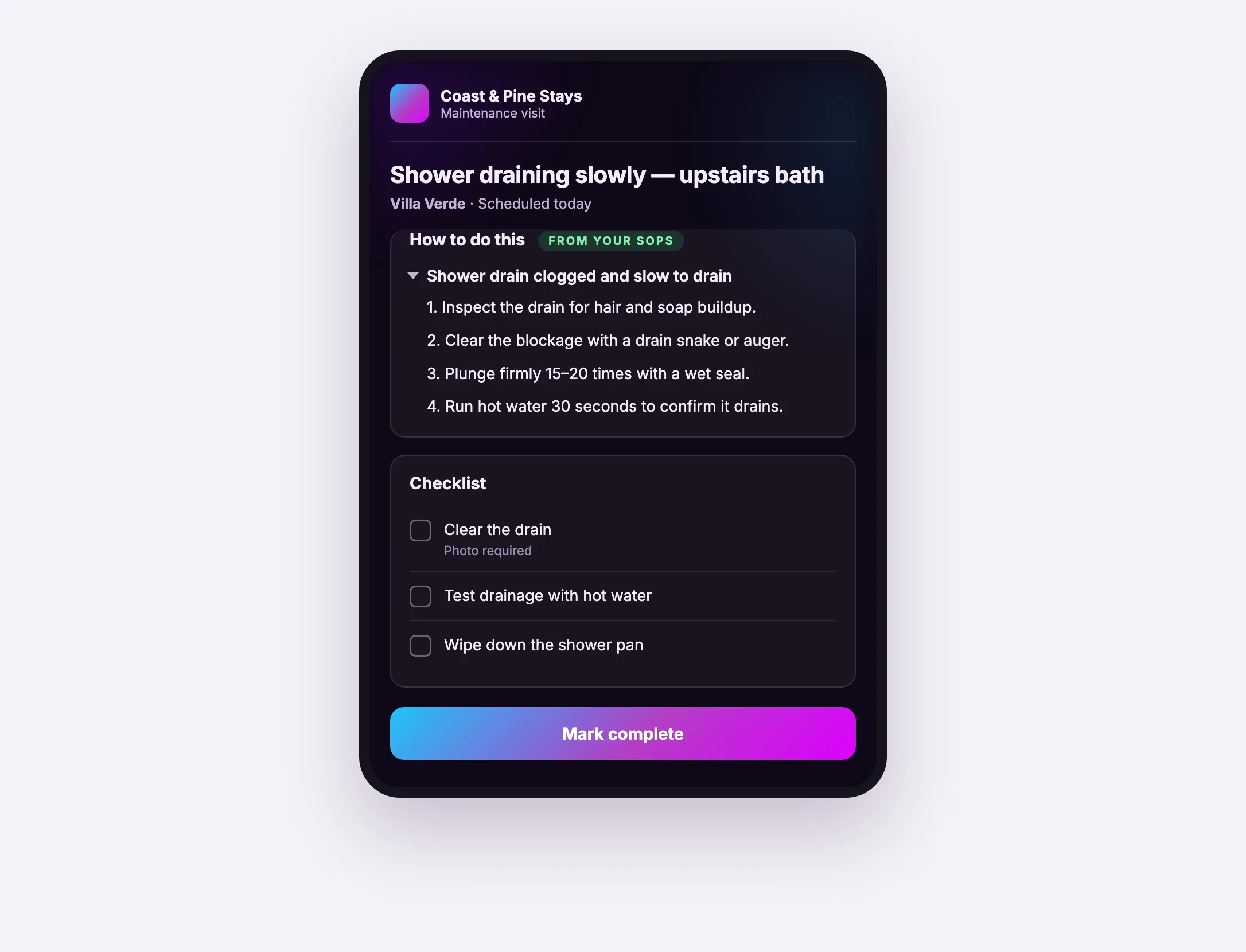
The standard, in the field, on their phone.
A library that only grows becomes a pile. This one compounds.
The third time something happens, it thickens the procedure you already have instead of adding a fourth near-copy.
Suggestions are scoped to the house the problem happened at, plus anything that applies portfolio-wide.
When nothing in your library fits, it tells you — and that is the prompt to capture the fix once you find it.
Numbered steps a cleaner or handyman can follow, not a policy document.
AI drafts. A person reads, edits and decides. Nothing publishes itself.
Anything heading to a vendor gets a redaction check first, with likely codes flagged.
Show the standard instead of describing it.
Bring existing checklists in rather than retyping them.
One less docs tool, one less place to look.
These pieces are designed to hand off to each other. Here is what connects to this one.
Three things work together. When a problem arrives, AI classifies it and searches your library for a procedure that already covers it. When you solve something new, AI turns the notes and the vendor’s summary into clean numbered steps. And when the same problem recurs, it merges into the procedure you already have rather than creating a duplicate. The library gets denser and more useful the more your team uses it.
No. It drafts, and a person on your team reads it, edits it and saves it. Nothing enters your library or reaches a vendor without someone approving it — and anything heading to a vendor goes through a review step that flags likely door codes and owner details first.
It is built to stay quiet rather than guess. When nothing in your library genuinely matches, it tells you so instead of offering the closest thing it can find — because a confidently wrong suggestion is worse than none at all.
Yes. Each house carries its own documented specifics while shared procedures apply across the portfolio, and suggestions are scoped to the property the problem happened at.
No. Vendors open the job from a link and the procedure is right there above the checklist. Everything works in a phone browser — there is no app to install.
Yes. Existing checklists and procedures can be imported rather than retyped, so switching does not mean starting over.
Every fix your team finds becomes a procedure the system hands back the next time it happens.