
Vendor Portal

Your vendors get a portal. You get accountability.

Every vendor signs in to their own portal, sees the jobs assigned to them, schedules around your guests, and submits photo proof. Vendors who run a crew can manage their own team inside it.

Invite a vendor and they are working the same day. Works on any phone browser · Vendors manage their own crew

Every job used to start with a question aimed at you.
“Is the house free Thursday?”

Your vendors can already see the answer. They open the job, look at a calendar that knows your reservations, pick a day the property is empty, and get to work — without a single message to your team.
Built for the people who actually do the work.

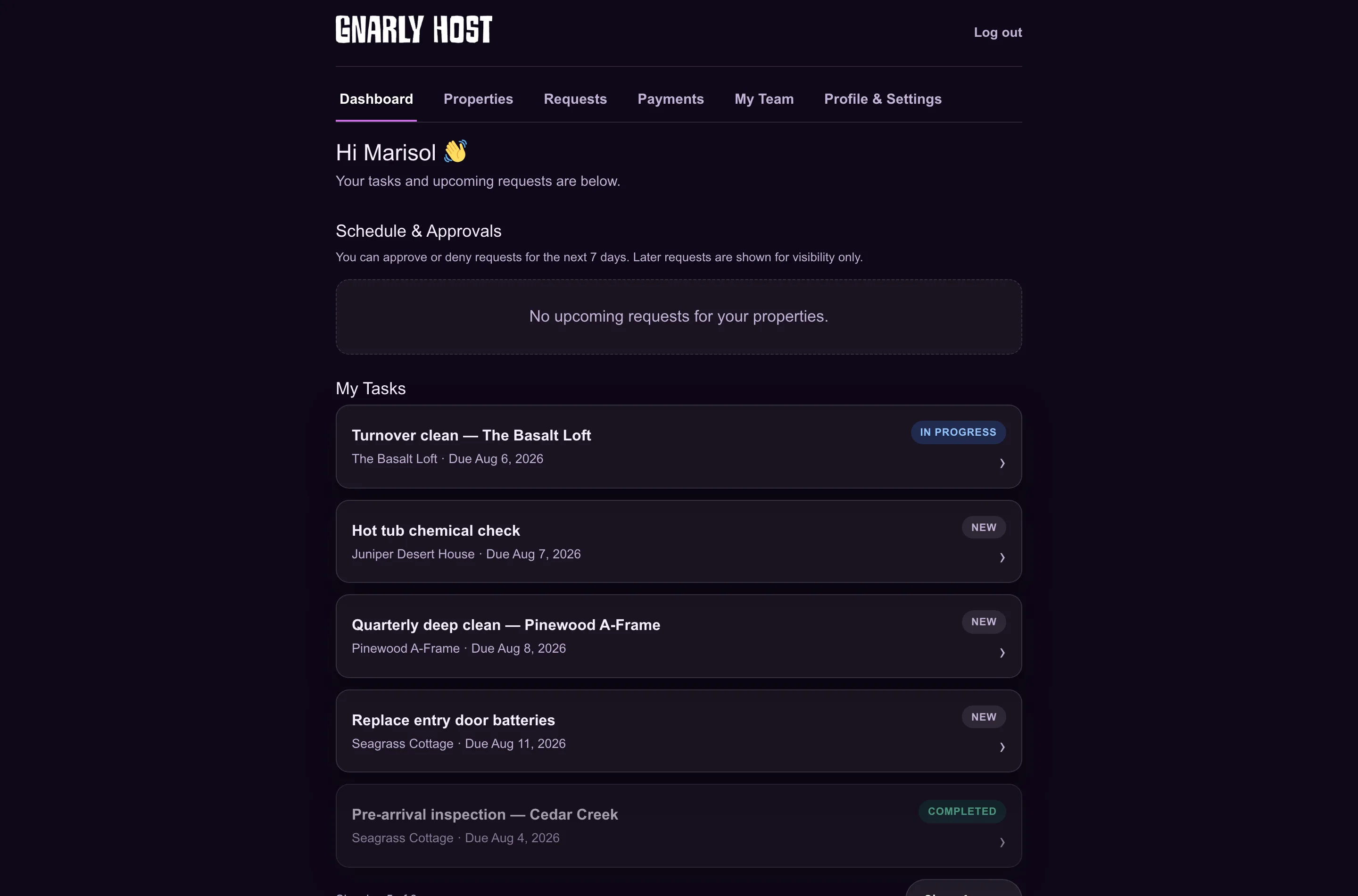
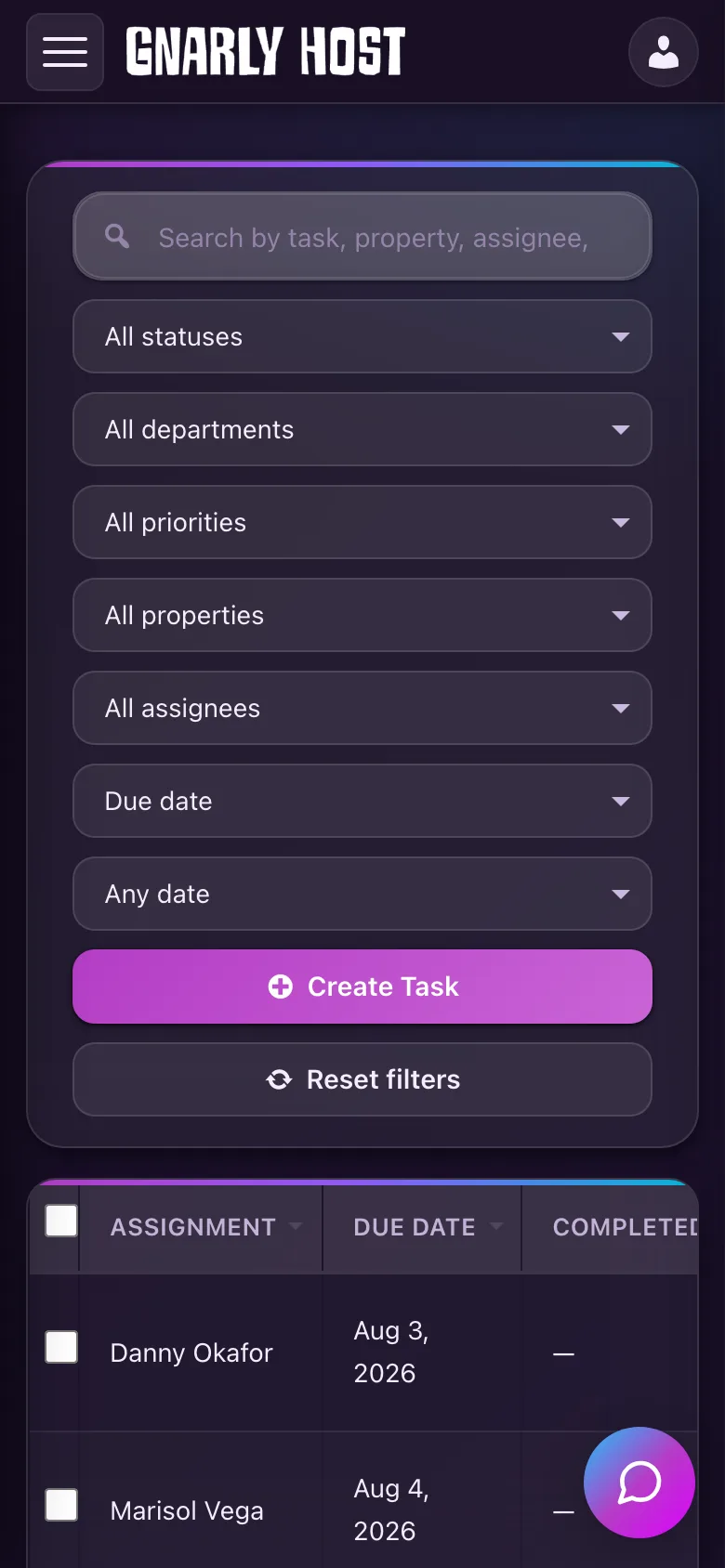
The vendor portal: assigned jobs, properties, and crew. The same job list on a phone.

One portal, scoped to what they do

  • Vendors sign in and see every job you have assigned them, across all your properties.
  • Vendors who run a crew can invite their own team members and assign work to them.
  • They only ever see the properties and tasks you assign — nothing else in your account.

They schedule around your guests

  • Vendors pick a slot from a calendar that already knows your reservations.
  • The whole team sees when the work is booked, and owners see it in their portal too.
  • Per-property notification channels, so each vendor hears about work their way.

Green days are free, amber days have guests. The team and the homeowner both see the date chosen.
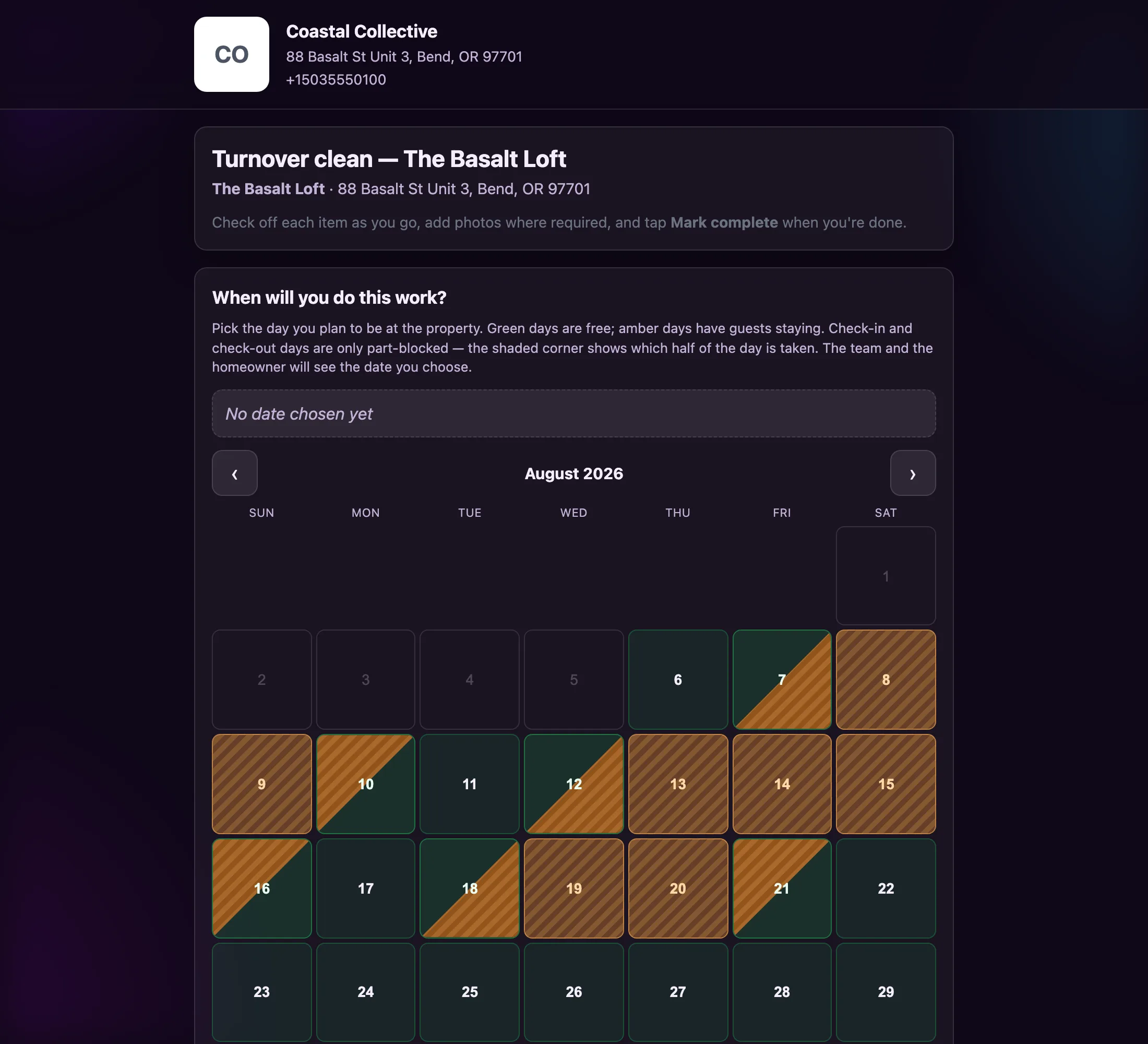
An occupancy-aware scheduling calendar.
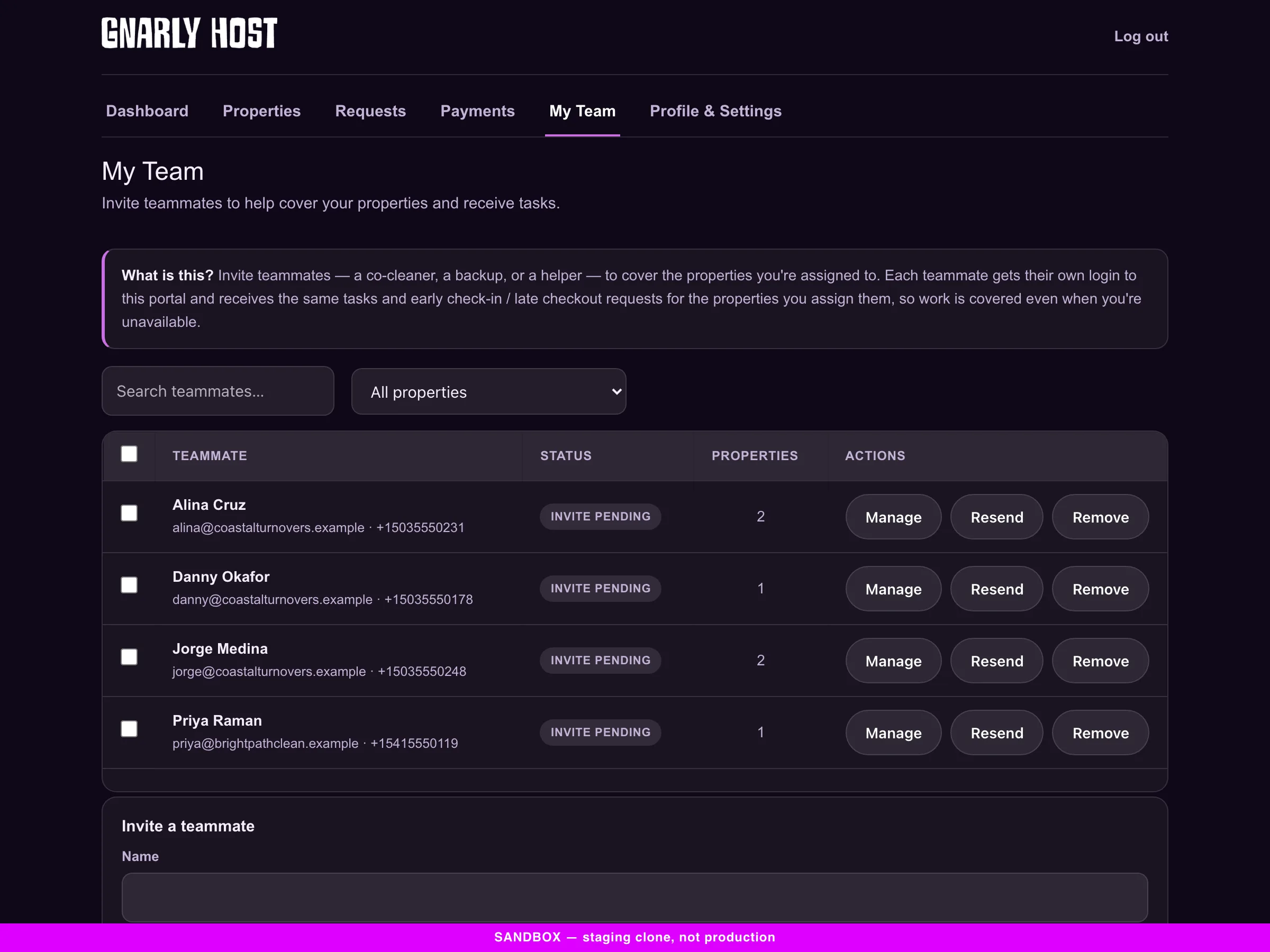
A vendor managing their own crew and property coverage.

They bring their own crew — you do not manage it

  • A cleaning company invites its own teammates into its account. You never create those logins or field the password resets.
  • Each teammate gets their own portal login and receives the same tasks and requests for the properties they are assigned.
  • Coverage keeps working when your lead cleaner is out sick, because their backup already has the job.

The work proves itself.

You are not chasing anyone for confirmation, and you are not forwarding photos to the owner.
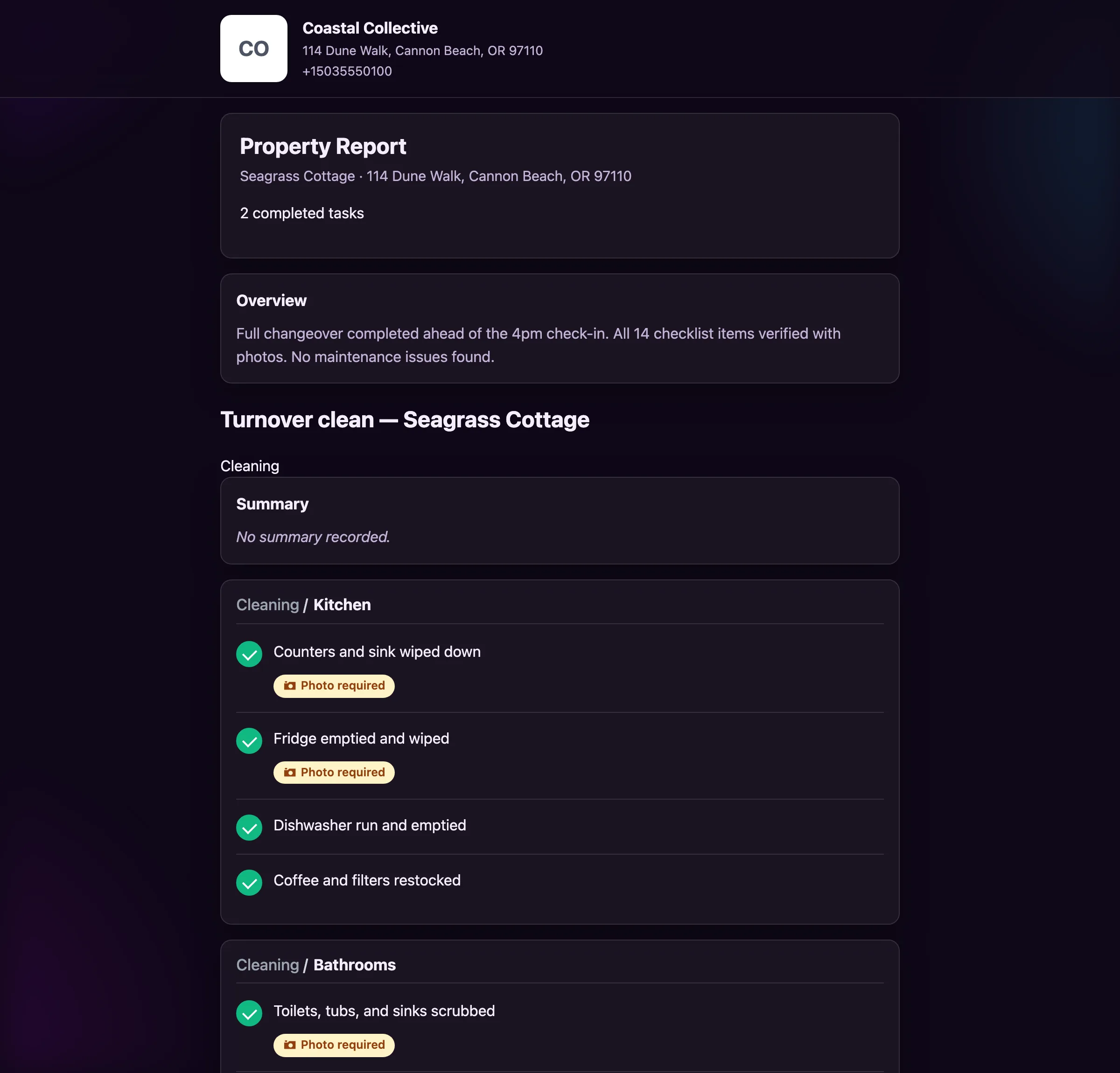
A completed task report with sections, notes, and photo proof.
  • The vendor works the checklist and submits photos against the steps that require them.
  • That submission becomes a task report — sections, notes, and photo proof, timestamped.
  • Your team sees it on the board. The homeowner sees it in their portal when you release it.
  • Nobody had to ask whether the work happened, and nobody had to prove it after the fact.

Everything in the vendor toolkit

Grouped by what it does for you, not by what it is called in the settings screen.

Accounts & access

Vendor accountsEach vendor signs in to their own scoped portal.
Scoped visibilityThey see their work. Nothing else.
Teammate invitesVendors can bring their own crew into their account.

Crew & routing

Crew managementVendors add their own team and assign jobs to them.
DepartmentsCleaning, maintenance, inspection — routed automatically.
Property coverageAssign which teammate covers which property.

Scheduling & comms

Self-schedulingOccupancy-aware, so they cannot book an occupied night.
Per-property channelsSMS, email, or in-app, set per vendor per property.
Bulk actionsAssign or notify a whole crew in one step.

From the people running the crews.

★★★★★

“Gnarly Host eliminated the headache of coordinating early check-ins. Our guests love the instant process, and we’re making an extra $200+ per property every month without any extra work.”

SM
Sarah Mitchell
Mountain View Rentals, Aspen, CO

What vendors ask before they sign in.

Do my vendors need to install an app?

No. The portal runs in any phone browser. They sign in and see their jobs.

Can a cleaning company manage its own crew?

Yes. Vendors with crew permissions invite their own team members and assign jobs to them inside their account.

What can a vendor see?

Only the properties and tasks you have assigned to them. Nothing else in your account is visible.

How does vendor scheduling avoid guest conflicts?

The calendar is built from your real reservations. Occupied nights are marked, and check-in and check-out days show which half of the day is taken.

Can a teammate cover for someone who is out?

Yes. Each teammate is assigned specific properties, so coverage keeps working when your lead cleaner is unavailable.

Where the work comes from

These pieces are designed to hand off to each other. Here is what connects to this one.

Get started

Onboard a cleaner in the time it takes to send a text.

Because that is literally what it is.