
Turnovers, recurring maintenance, seasonal inspections — build the checklist once and it dispatches on schedule. Your vendors work it in their own portal and send photo proof back, which becomes a report you can release to the owner.
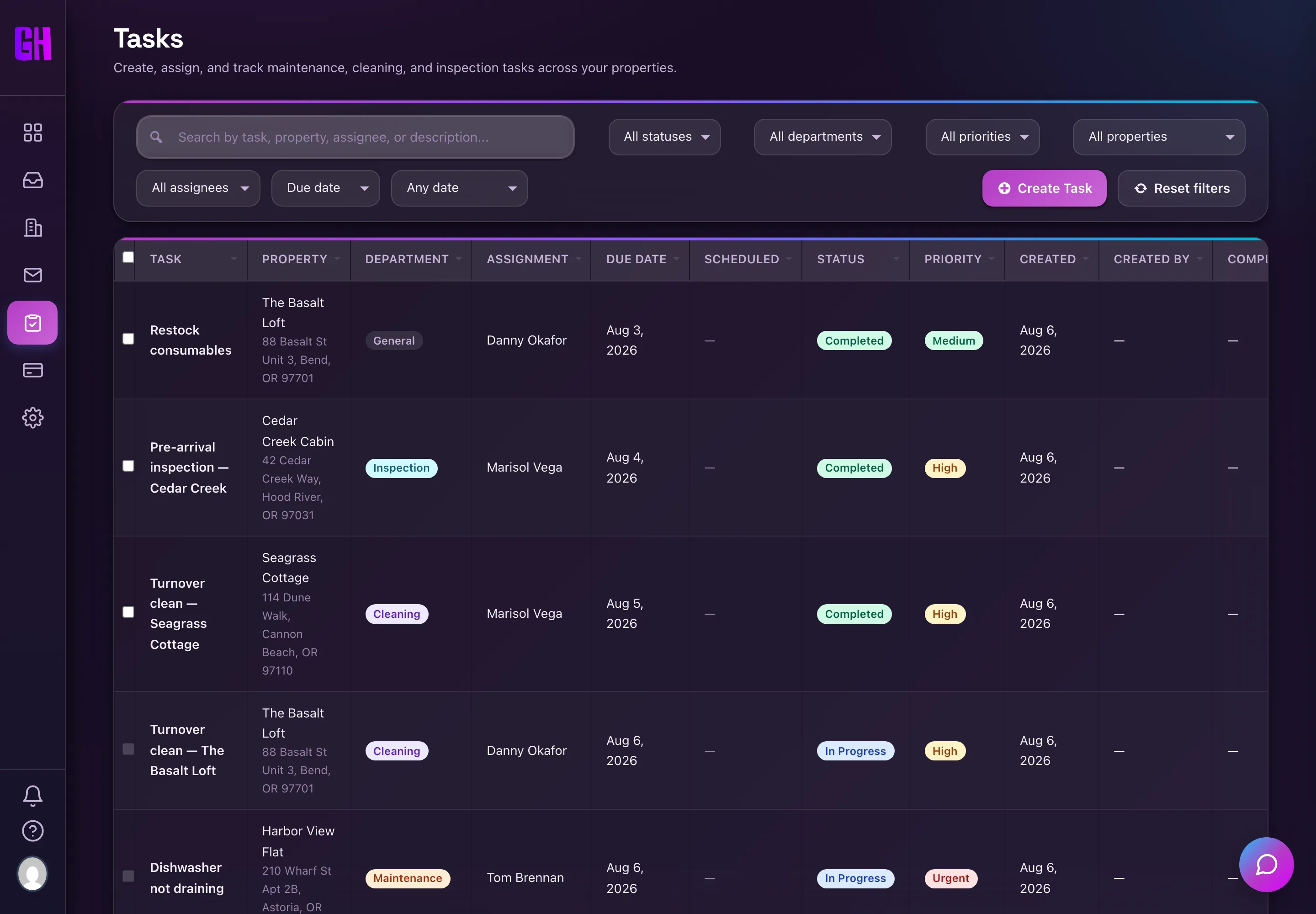
The task board, filtered by property, status, and assignee.
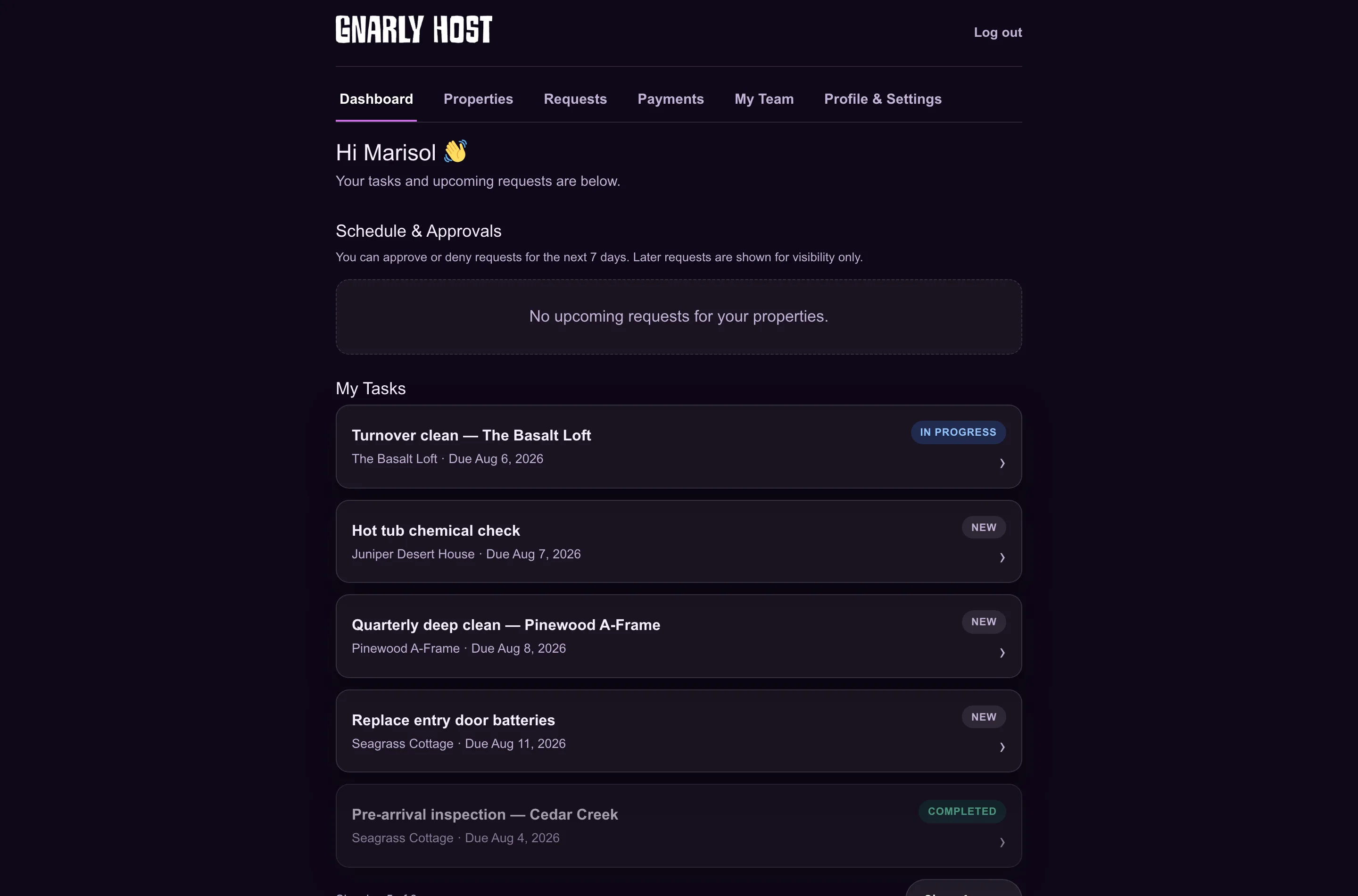
The vendor portal: their tasks, their properties, their own team.
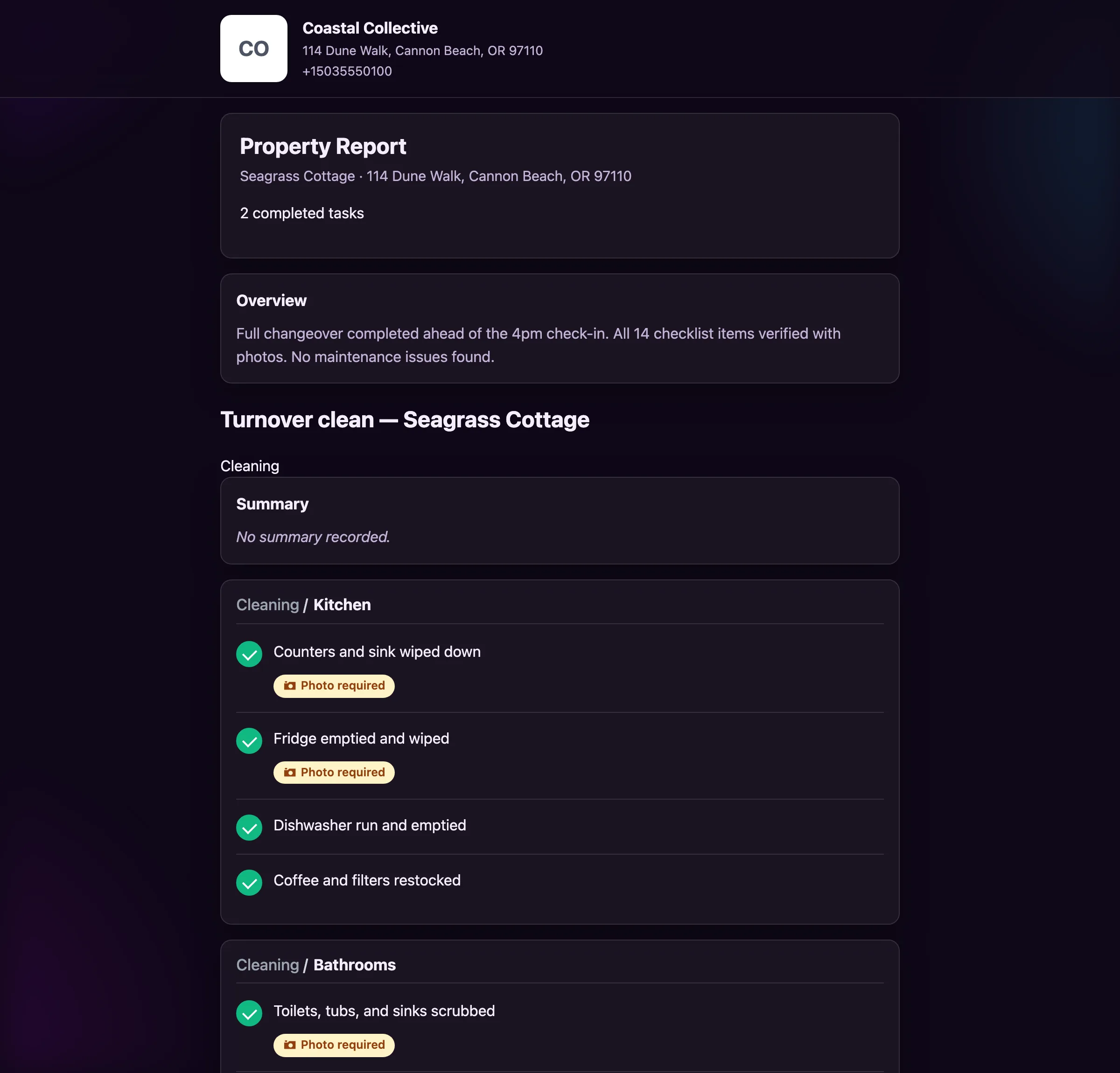
A completed task report: sections, notes, and photo proof.
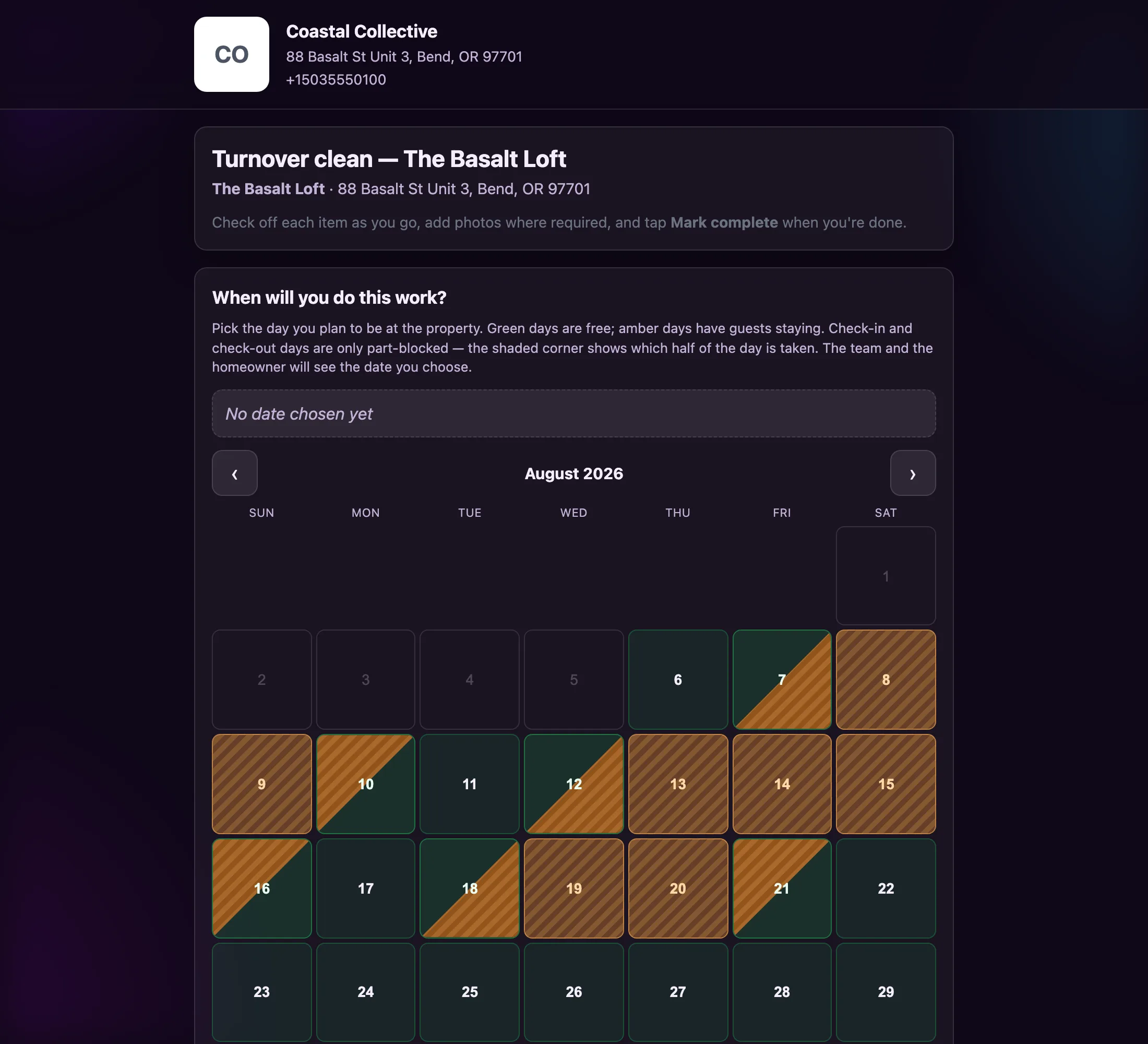
Green days are free, amber days have guests. The team and the homeowner both see the date chosen.
Build a checklist once and apply it to any property or schedule.
Daily, weekly, monthly, or seasonal — set the cadence and forget it.
Flag any item so the task cannot close without visual proof.
Vendors book a slot that respects real guest occupancy.
Tasks reach your team on the channel they actually read.
Every status change, note, and photo, timestamped.
Merge multiple completed tasks into one owner-ready link.
Route cleaning, maintenance, and inspection to the right people.
Task times render in each property’s own timezone.
“Before Gnarly Host, I was constantly playing phone tag between guests and cleaners. Now everything happens automatically, and I’ve reclaimed 10+ hours per week while actually making more money.”
“The revenue sharing feature is genius. Our cleaners are now motivated to accommodate more requests, and our guest satisfaction scores have never been higher. It’s a win-win-win.”
“Gnarly Host eliminated the headache of coordinating early check-ins. Our guests love the instant process, and we’re making an extra $200+ per property every month without any extra work.”
These pieces are designed to hand off to each other. Here is what connects to this one.
No. Build a template once and apply it to any property or schedule. Most operators run three or four templates across an entire portfolio.
Yes. Flag any line item as photo-required and the task cannot be submitted without one.
Both. Set a daily, weekly, monthly, or seasonal cadence and the task dispatches itself on that schedule.
A report with the sections, notes, and photos from the completed work. It appears in their portal when you release it.
Yes. Vendors can add their own ad-hoc line items when they find something on site.
Build it once. It dispatches, documents itself, and reaches the owner without you.